A food tracker app with scanner has become the go-to tool for anyone serious about understanding what they eat. Whether you call it a barcode calorie counter, a meal logging app, or a diet monitoring tool, the core promise is identical point your phone at any packaged food, and its full nutritional profile appears instantly. After testing multiple scanner-based nutrition apps daily for over eight months, I can share exactly how this technology performs in real kitchens, real grocery stores, and real life.
This guide draws from that hands-on experience, verified industry data, and peer-reviewed nutritional research to help you choose the right calorie tracking app for your goals.
Table of Contents
How Does a Barcode Food Scanner App Actually Work?
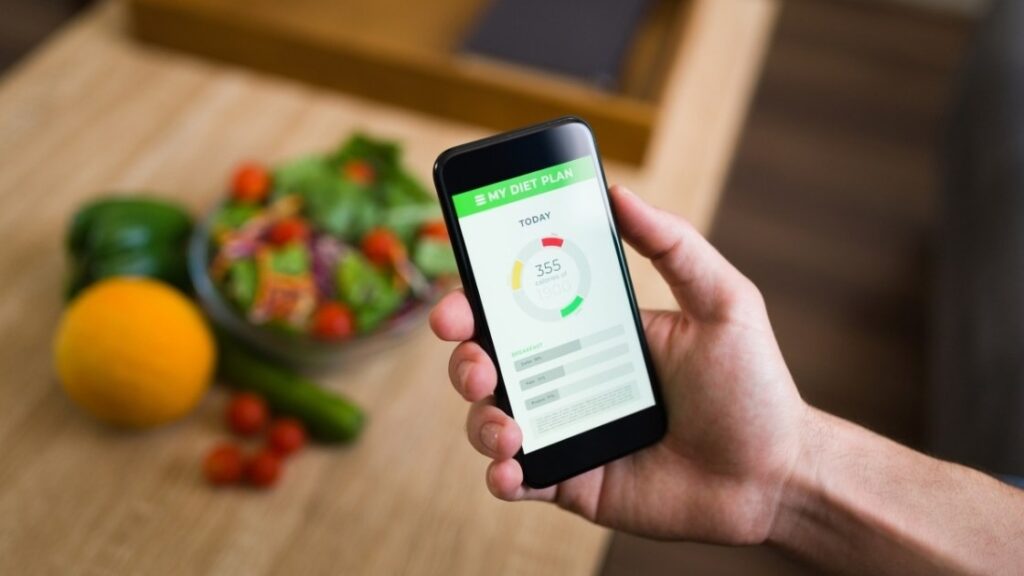
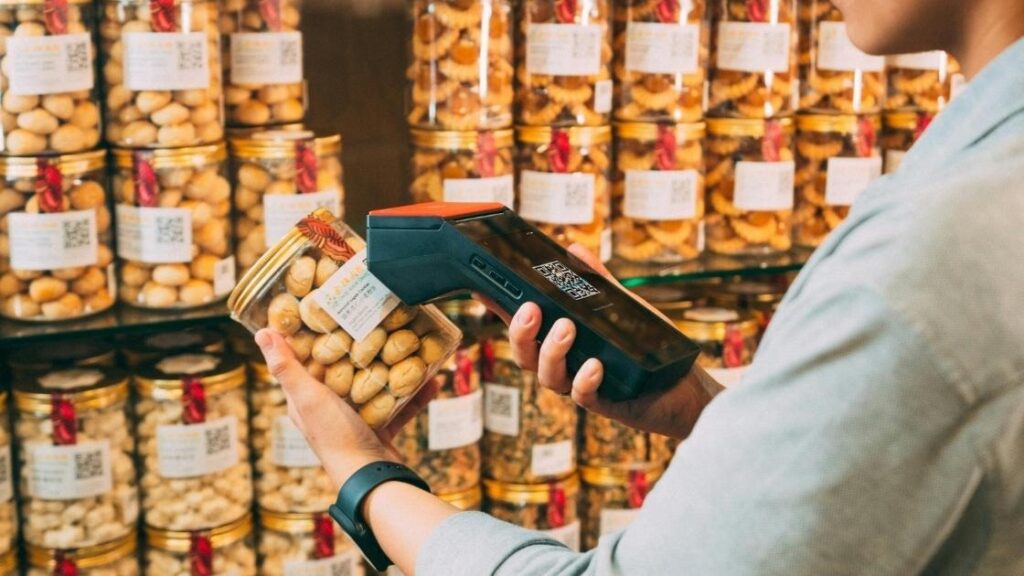
Every food tracker app with scanner relies on two technologies working together. First, your smartphone camera reads the barcode printed on packaged food. Second, the app matches that code against a cloud-hosted nutritional database containing millions of verified product entries.
Leading apps like MyFitnessPal, Lose It!, and Cronometer maintain databases with over two million food items each, according to a 2025 comprehensive review by Fitia. Newer platforms have added AI-powered photo recognition that estimates calories from a picture of your plate no barcode needed.
| Technology | How It Works | Best For |
| Barcode scanning | Reads UPC codes on packaging | Packaged grocery items |
| AI photo recognition | Analyzes meal images using machine learning | Restaurant and homemade meals |
| Natural language input | Parses typed descriptions like “two boiled eggs” | Quick on-the-go logging |
| Recipe builder | Calculates nutrition from individual ingredients | Home-cooked dishes |
This layered approach means a modern nutrition tracker with barcode scanning handles virtually every eating scenario you encounter.
Why Digital Food Logging Outperforms Traditional Diet Journals
Handwritten food diaries were once the only option for tracking caloric intake. They required looking up nutritional values manually, estimating portions, and doing arithmetic a process so tedious that most people quit within weeks.
A systematic review published in Public Health Nutrition by Cambridge University Press found that dietary self-monitoring is one of the most reliable predictors of weight loss success in behavioral interventions. However, the same research noted a gradual decline in adherence over time a problem that scanner apps directly address by reducing logging effort to seconds per item.
A 2022 exploratory study in JMIR Formative Research confirmed that participants using digital self-monitoring tools showed greater consistency than those relying on paper methods, though disengagement still occurred after the initial novelty faded. The takeaway is clear: the easier the tracking process, the longer people stick with it.
Top 3 Food Tracker Apps with Scanner Compared
Choosing the best calorie counter app with barcode scanner depends on your specific priorities. Here is a side-by-side breakdown based on my testing and verified feature data from each platform:
| Feature | MyFitnessPal | Cronometer | Lose It! |
| Database size | 14M+ foods | 2M+ verified | 7M+ foods |
| Barcode scanner | Yes fast and reliable | Yes highly accurate | Yes solid performance |
| AI photo logging | Yes (Premium) | No | Yes |
| Micronutrient tracking | Basic (Premium unlocks more) | Excellent 82+ nutrients | Moderate |
| Wearable integration | Fitbit, Apple Watch, Garmin | Fitbit, Apple Health | Fitbit, Apple Watch |
| Free tier | Limited with upgrade prompts | Generous free version | Functional free version |
| Pricing (annual) | $79.99/year | $49.99/year | $39.99/year |
| Best for | Largest food database users | Micronutrient-focused trackers | Budget-friendly simplicity |
My experience: Cronometer stood out for anyone tracking vitamins, minerals, and specific medical nutrition goals. MyFitnessPal wins on sheer database size, especially for packaged and restaurant foods. Lose It! offers the best value for casual users who want straightforward calorie and macro monitoring.
5 Measurable Benefits I Gained from Daily Barcode Food Tracking
After eight months of consistent use, here are the specific outcomes I observed:
- Eliminated hidden sugar intake Scanning so-called “health foods” revealed that many granola bars and yogurts contained more sugar per serving than candy. My added sugar consumption dropped by roughly 40% within the first two months simply through awareness.
- Optimized protein distribution Seeing my macro split visualized daily helped me redistribute protein across meals instead of loading it all at dinner, which research from the Journal of Nutrition suggests supports better muscle protein synthesis.
- Identified energy pattern triggers Three weeks of logged data revealed a direct connection between high-refined-carb lunches and my afternoon energy crashes. Adjusting lunch composition improved my afternoon focus noticeably.
- Reduced meal planning time Pre-logging meals the night before cut my daily food decisions in half. I spent less time deliberating and more time eating intentionally.
- Sustained accountability over months Weekly nutrition summaries provided a feedback loop that kept me engaged far longer than any previous attempt at diet journaling.
Who Should Use a Scanner-Based Nutrition App?
This technology serves a wide audience, but certain groups benefit most:
| User Type | Primary Benefit |
| Weight loss seekers | Accurate calorie deficit tracking |
| Fitness enthusiasts | Precise macro counting for performance |
| Diabetics or pre-diabetics | Carbohydrate and glycemic monitoring |
| Parents planning family meals | Nutritional balance across household diets |
| People with food allergies | Instant ingredient and allergen identification |
The global food tracker app market is estimated to reach $5.76 billion by 2025, growing at nearly 12% annually, according to Data Insights Market research. That growth reflects how broadly useful these tools have become across demographics.
Honest Limitations You Should Know
No meal tracking app with barcode scanner is without drawbacks. Homemade and restaurant meals still require manual ingredient entry or photo estimation, which is less precise than scanning a barcode. User-submitted database entries occasionally contain errors, so periodic verification matters.
More critically, obsessive tracking can become psychologically harmful for some individuals. The National Eating Disorders Association has consistently warned that rigid calorie monitoring may worsen disordered eating patterns in vulnerable people. If tracking starts causing anxiety rather than clarity, stepping back is the healthiest choice.
Practical Tips from Eight Months of Real-World Use
These strategies made the biggest difference in my own consistency:
Scan every item the moment you eat it waiting until evening leads to forgotten snacks and inaccurate totals. Use the meal duplication feature for repeated breakfasts and lunches to save time. Verify scanned entries against the actual nutrition label once a week to catch database errors. Pair your app with a digital kitchen scale for calorie-dense foods like cooking oils, nut butters, and cheese where small portion differences significantly change calorie counts. Focus on weekly nutritional trends rather than obsessing over daily numbers, as natural fluctuations are normal and misleading in isolation.
If your food scanning app integrates with a wearable like an Apple Watch or Fitbit, enable that connection syncing activity data with dietary intake gives you a far more complete picture of your energy balance.
Conclusion
A food tracker app with scanner transforms nutrition monitoring from a tedious chore into a seamless daily habit. The combination of instant barcode scanning, verified nutritional databases, and visual macro breakdowns removes the friction that causes most people to abandon dietary tracking. From revealing hidden sugars to enabling precise protein optimization, scanner-based calorie counting delivers measurable benefits when used consistently and mindfully.
The key is selecting an app whose database size, feature set, and pricing match your specific health objectives then using it as a supportive tool rather than an obsessive crutch. Start by scanning your next grocery haul and notice how quickly awareness reshapes your food choices. Share your own scanner app experience in the comments, or pass this guide along to someone starting their nutrition journey.
What is the most accurate food tracker app with barcode scanner?
Cronometer is widely regarded as the most accurate option because its database prioritizes lab-verified entries over user-submitted data. It tracks over 82 micronutrients in addition to standard calories and macros, making it especially valuable for users with medical dietary needs or precise nutritional goals.
Can a food scanner app really help me lose weight?
Peer-reviewed evidence strongly supports this. A systematic review inPublic Health Nutrition found that consistent dietary self-monitoring is among the most effective behavioral strategies for achieving and maintaining weight loss. Scanner apps lower the effort barrier that typically causes people to stop tracking.
Do food tracker apps work for homemade meals without barcodes?
Yes, though with less automation. Most apps offer recipe builders where you enter individual ingredients and serving sizes. Newer platforms also use AI photo recognition to estimate nutritional content from a meal image, though this method is less precise than scanning a manufacturer’s barcode.
Is it safe to track every meal with a calorie counting app?
For the majority of users, consistent food logging is a positive accountability habit. However, individuals with a history of eating disorders or food-related anxiety should consult a healthcare provider before starting, as rigid tracking can reinforce unhealthy behaviors in certain cases.
Which food tracking app has the largest barcode database?
MyFitnessPal maintains the largest database with over 14 million food entries, including extensive coverage of international brands, restaurant chains, and generic ingredients. Its barcode scanner recognizes the widest range of packaged products among all major nutrition apps currently available.
Are free versions of food scanner apps good enough?
Cronometer and Lose It! both offer generous free tiers that include barcode scanning, basic macro tracking, and daily food logging. Premium upgrades unlock features like meal planning, advanced nutrient reports, and ad-free interfaces, but casual users can accomplish their core goals without paying.