
The shift toward work from home using computer workflows has become one of the defining career changes of the past decade, reshaping how professionals earn, collaborate, and build long-term stability. What was once considered a rare privilege is now a mainstream employment model adopted across nearly every industry.
According to a 2023 Pew Research Center report, roughly 35% of American employees whose jobs allow remote flexibility now perform them entirely from home. A separate WFH Research tracker led by Stanford economist Nicholas Bloom confirms that hybrid and fully remote arrangements have stabilized as permanent fixtures rather than temporary experiments.
This guide walks you through the gear, routines, job paths, and safety practices that distinguish thriving remote professionals from those who burn out within months.
Table of Contents

What It Means to Earn a Living From a Home Computer
In its simplest form, a computer-based home career means completing professional responsibilities from a non-office location using a laptop or desktop as your primary tool. This covers salaried remote roles, hybrid arrangements, full-time freelancing, consulting, and digital entrepreneurship.
The remote employment model is not new. Research published by the U.S. Bureau of Labor Statistics shows telecommuting grew steadily from the 1990s onward. However, the 2020 global health crisis accelerated adoption by nearly a decade in just a few months, forcing companies worldwide to digitize workflows almost overnight.
Today, millions of professionals across tech, design, education, customer service, marketing, and administration earn full incomes through their screens, often for employers located thousands of miles away.
Why Remote Careers Keep Expanding Globally
Remote employment growth is driven by measurable benefits for both workers and companies. A widely cited Stanford Institute for Economic Policy Research study by Nicholas Bloom found that remote staff can be approximately 13% more productive than in-office counterparts, largely because of quieter environments and fewer unnecessary meetings.
Beyond productivity, several lifestyle factors explain the continued popularity of telecommuting careers. Financial savings come from eliminated commutes, skipped restaurant lunches, and reduced wardrobe spending. Time reclamation is another major draw, since U.S. Census Bureau data shows the average American commute was nearly 27 minutes one way, meaning remote workers recover hundreds of hours annually. Geographic freedom also allows employees to live in more affordable cities while earning urban-level salaries, and health improvements tend to follow through better sleep, home-cooked meals, and flexible movement breaks. Environmental benefits from reduced transportation emissions round out the advantages.
Research from Owl Labs and Global Workplace Analytics consistently reports that a majority of remote employees would take a pay cut before returning to a full-time office environment, highlighting how deeply this model has shifted worker expectations.
Essential Hardware and Software for a Productive Home Office
The foundation of a reliable home-based digital workspace is equipment that won’t fail during a client call or deadline crunch. Here is a breakdown of what most remote professionals need:
| Category | Entry Level | Recommended Upgrade | Why It Matters |
| Computer | Laptop, 8GB RAM, SSD | 16GB RAM, M-series or i7/Ryzen 7 chip | Handles multitasking and video calls smoothly |
| Internet | 25 Mbps download | 100+ Mbps fiber connection | Prevents lag during meetings and cloud work |
| Monitor | Laptop screen | External 24–27 inch display | Reduces neck strain and boosts productivity |
| Audio Gear | Built-in mic | USB or XLR microphone with headset | Improves call clarity and professionalism |
| Webcam | 720p built-in | 1080p external with ring light | Creates better visual presence |
| Chair | Supportive office chair | Fully adjustable ergonomic seat | Protects spine during long hours |
| Desk | Stable flat surface | Height-adjustable standing desk | Encourages movement and posture changes |
| Backup Power | Phone hotspot | UPS unit plus mobile data plan | Keeps you online during outages |
The Occupational Safety and Health Administration (OSHA) stresses that monitor height, elbow angle, and foot positioning dramatically influence long-term physical health for desk-based workers. Investing in ergonomics early prevents expensive issues later.
Designing a Workspace That Supports Deep Focus
A dedicated physical zone signals your brain when it’s time to concentrate. Even in small apartments, carving out a consistent corner for work matters more than the size of the space itself.
Natural light improves both mood and cognitive performance. Positioning your desk near a window, paired with a warm desk lamp for evening work, supports alertness throughout the day. Noise-cancelling headphones help block neighbors, traffic, or household interruptions during demanding tasks.
Keep personal distractions like television remotes, game controllers, or snack drawers out of immediate sight. Behavioral researcher Dr. BJ Fogg of Stanford emphasizes in his Behavior Design work that environmental cues shape habits more powerfully than willpower alone.
Productivity Habits That Separate Top Remote Workers
Setting up hardware takes a weekend. Building sustainable habits is the real long-term challenge when you operate from an online employment model.
Structured time-blocking tends to outperform vague task lists. Cal Newport, a Georgetown University computer scientist and author of Deep Work, argues that sustained uninterrupted focus produces significantly better cognitive output than constant task-switching.
A few habits consistently appear among high-performing remote professionals. The first is tackling your hardest task before email steals your morning energy, following Mark Twain’s classic “eat the frog” principle. Many also apply the Pomodoro Technique, alternating 25-minute focus sprints with 5-minute breaks to manage mental fatigue. Batching similar tasks such as emails, calls, and administrative work into fixed daily windows reduces context switching and protects deep thinking. Taking genuine lunch breaks away from the screen matters, since eating while replying to Slack messages is not truly rest. Finally, a clear shutdown ritual of closing the laptop, tidying the desk, and noting tomorrow’s priorities protects your evenings and prevents work creep.
Common Struggles Remote Professionals Face
Even the best setup cannot eliminate every challenge of working from home. Two issues dominate.
Isolation and disconnection frequently emerge among full-time remote staff. The Microsoft Work Trend Index has repeatedly flagged that many hybrid and fully remote employees feel disconnected from their teams and broader organizational culture. Combat this through scheduled virtual coffee chats, industry Slack or Discord communities, and occasional days at coworking spaces or cafés.
Burnout and blurred boundaries also threaten well-being. The American Psychological Association recommends daily movement, regular sunlight exposure, and firm work-hour boundaries to protect mental health. When your office is your bedroom, the risk of working endlessly becomes very real without deliberate limits.
High-Demand Online Careers You Can Build Today
The menu of internet-based jobs keeps expanding across nearly every skill category. In 2026, the most popular remote-friendly fields include software and web development, UX and graphic design, content writing, copywriting and editing, search engine optimization, digital marketing, virtual assistance, executive support, customer service, technical support, online tutoring, course instruction, bookkeeping, accounting, data analysis, translation, transcription, video editing, motion design, and social media management.
According to Upwork’s annual Freelance Forward research, the American independent workforce has grown year over year, with younger professionals increasingly choosing freelance or contract-based digital careers over traditional office employment. Platforms like Upwork, Fiverr, LinkedIn, Toptal, and We Work Remotely have made finding legitimate opportunities easier than ever for both beginners and experienced professionals.
A Real-World Example of Daily Remote Flow
Consider a freelance content writer based in a mid-sized U.S. city. Her day begins at 8 a.m. with a 90-minute deep-writing block, notifications fully disabled. At 9:30 she reviews client feedback and responds to messages. Between 11 a.m. and 1 p.m., she handles research and interviews. Afternoons are reserved for editing, invoicing, and client calls before a hard 5 p.m. shutdown.
Her entire setup of a reliable laptop, external monitor, ergonomic chair, and decent microphone cost under $1,500 and pays for itself monthly. The routine, not the equipment, is what produces consistent income.
Cybersecurity Essentials Every Remote Worker Needs
Operating from a personal network introduces real security responsibilities. The Cybersecurity and Infrastructure Security Agency (CISA) recommends several non-negotiable practices for anyone handling professional data at home.
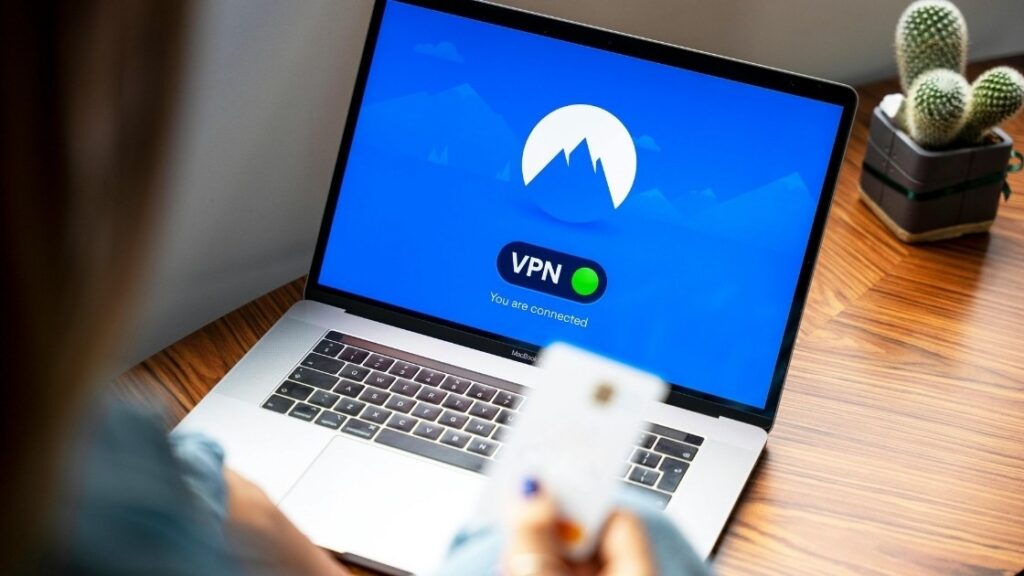
Start by using a reputable password manager with unique passwords for every account, and enable two-factor authentication across email, banking, and all work platforms. Keep operating systems, browsers, and apps updated automatically so security patches install the moment they’re released. Connect through a trusted VPN whenever handling sensitive client or company data, especially on shared Wi-Fi networks. Back up important files to encrypted cloud storage such as Google Drive, OneDrive, or iCloud so a single compromised password or lost laptop can’t erase months of work.
A 30-Day Roadmap for Starting Your Remote Career
If you’re just beginning, structure your first month around three phases. Spend week one auditing your skills, identifying transferable strengths, and selecting one primary niche such as writing, design, support, or development. Week two focuses on setting up your workspace, purchasing essential gear, and installing productivity software. During week three, build an online presence through LinkedIn, a basic portfolio site, and relevant platform profiles. Finally, week four is for pitching clients, applying to remote positions, and completing at least one paid or portfolio project.
This phased approach prevents overwhelm while creating genuine momentum toward your first remote employment opportunity.
Conclusion
Choosing to Work From Home Using Computer is no longer an experimental lifestyle; it has become a fully mainstream career path supported by data, employer demand, and continually improving technology. With thoughtful hardware choices, deliberate daily routines, clear mental health boundaries, and strong digital security, remote careers can genuinely transform both income and personal freedom.
The professionals who thrive in a digital workplace aren’t those with the most expensive gear. They’re the ones with consistent habits, clear priorities, and strong communication skills. Start with small upgrades, refine your routine weekly, and guard your focus like it’s currency.
If this guide helped clarify your next move, share it with a friend considering remote work, leave a comment with your own home-office lessons, or pick one habit above and test it this week. Your future self, working calmly from your own space, will thank you.
1. What computer specifications do I need to work from home effectively?
Most remote roles run smoothly on a laptop with at least 8GB of RAM, an SSD, and a modern processor such as Apple M-series, Intel i5, or AMD Ryzen 5. Design, video, and 3D work usually require 16GB or more RAM and a dedicated graphics card for consistent performance.
2. How fast should my internet connection be for remote jobs?
A baseline of 25 Mbps download and 5 Mbps upload handles most video calls and cloud-based tasks without issues. Households with multiple streamers, gamers, or remote workers should consider 100 Mbps fiber plans to avoid meeting lag and dropped connections.
3. How can I stay productive and focused while working at home?
Set fixed working hours, use time-blocking, and apply methods like Pomodoro to manage mental fatigue. A dedicated workspace, silenced non-essential notifications, and a clear shutdown ritual further protect your concentration throughout the day.
4. Is remote work truly better than traditional office work?
It largely depends on personality, role type, and home environment. Research from Stanford and Microsoft shows many remote professionals report higher satisfaction and productivity, though people who struggle with isolation or lack quiet space often prefer hybrid arrangements.
5. Which online careers are best for beginners with no experience?
Entry-friendly options include virtual assistance, customer support, content writing, data entry, transcription, and social media coordination. Platforms like Upwork, Fiverr, and LinkedIn allow newcomers to build portfolios while earning, gradually progressing toward higher-paying specializations.
6. How do I protect my personal and client data while working remotely?
Use a trusted password manager, enable two-factor authentication, keep software updated, and connect through a reliable VPN when handling sensitive information. Backing up files to encrypted cloud storage adds an extra safeguard against hardware loss or ransomware.